
Close Menu
Technology Navigator
    Facebook X (Twitter) RSS
    Technology Navigator
    • Home
    • How to
    • Android
      • Android News
      • Android Phones
      • Android Tablets
    • Tech News
    • Apps
    Facebook X (Twitter) RSS
    Trending
    • Xiaomi budget smartphone Redmi A5 4G launched in India
    • Google System Updates April 2025 for Android
    • Amazon Nova Reel 1.1: An AI video generator model
    • Amazon Project Kuiper launch date is confirmed: Read in detail
    • Instagram DMs get new features: Read here what’s new
    • Project Waterworth: World’s longest undersea cable project by Meta
    • Grok 3 AI chatbot is claimed to be the “Smartest AI on Earth”
    • Vivo V50 price in India is revealed: Check here for specs and more
    Technology Navigator
    Home » Android News » Access android files wirelessly on Windows PC without any third party app.
    Android News

    Access android files wirelessly on Windows PC without any third party app.

    Divya SharmaBy Divya SharmaJuly 30, 2024No Comments2 Mins Read
    Share
    WhatsApp Facebook Twitter Email Copy Link

    In the latest blog, Microsoft revealed that Windows11 users who are enrolled in the “Windows Insider Program”, can access android files wirelessly in Windows File explorer.

    Earlier, Android users were using USB cables for transferring data to PC , but after this integration feature update, the users can easily browse, access, modify, and transfer data including files & media and even copy files wirelessly from the Android phone to PC and vice versa.
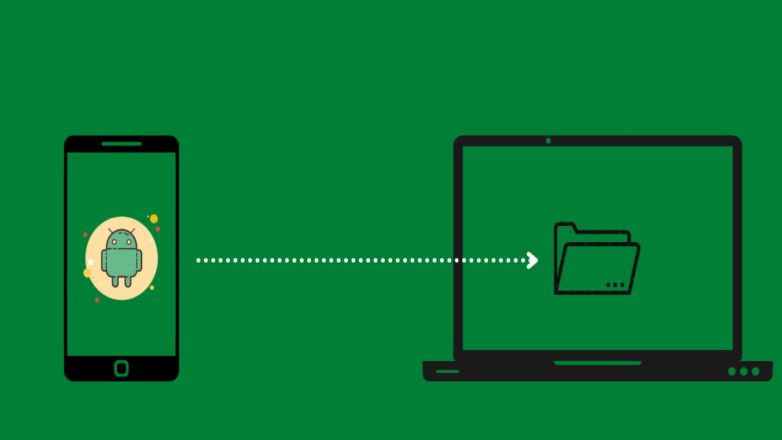
    Access-android-files-wirelessly

    How to access android files wirelessly on Windows PC?

    • Installing the “Link to Windows” app, version 1.24071 or higher, on your Android phone from Google Play Store is the first important step to be followed.
    • Secondly, register your PC having Windows11 on “Windows Insider Program” website and opt into any one of the Insider Channels (Dev, Beta, Release, Preview, or Canary).

    After following both the steps, users need to enable some features on their PC .

    Following are the features to be enabled in PC  :-

    • On your Windows 11 PC, open Settings > Bluetooth & devices > Mobile Devices
    • Select Manage Devices and allow your PC to access your Android device.

    Now you can access android phone files wirelessly in File Explorer by toggling the option to show, and if the option is not seen there, it means this feature is not available to you yet.

    Following are some present Cons which company highlighted in this feature are :

    1. The files of Android phone deleted from PC will remain in the Recycle bin folder for 5 days only, instead of 30 days.
    2. There will be sync problem, as if users do operation on their phone files from PC, it may not sync back to their phone.

    These are some issues seen in the current feature, which company has assured to fix it in upcoming updates.

    By providing this feature to customers, the tech giant Microsoft tried to explore deeper integration of Android users into its Window operating system for PCs.

    android featured
    Share. WhatsApp Facebook Twitter Tumblr Email
    Divya Sharma

    Divya is an enthusiastic Tech writer who has been writing about Android and Tech news, apps, gadgets and web since 2017. She simplify complex tech concepts to provide practical insights to users of all level so they make the most out of their Android devices.

    Related Posts

    Xiaomi budget smartphone Redmi A5 4G launched in India

    April 16, 2025

    Google System Updates April 2025 for Android

    April 10, 2025

    Vivo V50 price in India is revealed: Check here for specs and more

    February 17, 2025
    Leave A Reply Cancel Reply

    CAPTCHA Image
    Refresh Image

    *

    Latest Posts

    Xiaomi budget smartphone Redmi A5 4G launched in India

    April 16, 2025

    Google System Updates April 2025 for Android

    April 10, 2025

    Amazon Nova Reel 1.1: An AI video generator model

    April 9, 2025

    Amazon Project Kuiper launch date is confirmed: Read in detail

    April 4, 2025

    Instagram DMs get new features: Read here what’s new

    February 20, 2025
    Facebook X (Twitter) RSS
    • Home
    • About
    • Contact
    • Privacy Policy
    • Correction Policy
    • Disclaimer
    • Terms & Conditions
    © 2026 - Technology Navigator

    Type above and press Enter to search. Press Esc to cancel.