

The Microsoft new Game Assist browser has been announced by the company for finding info about games and is now available for beta testing in Windows 11.
What is Microsoft’s new Game Assist browser?
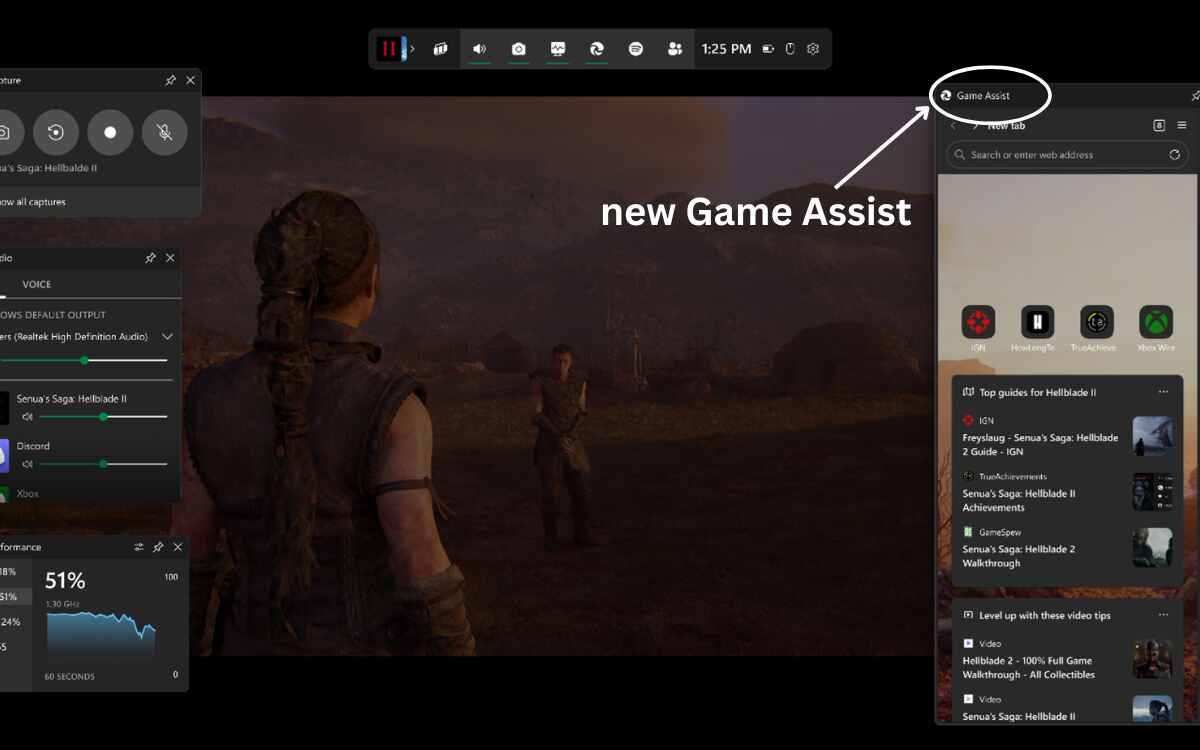
Microsoft’s new Game Assist Browser is a new Edge-powered in-game browser that overlays Microsoft Game Bar to help users by automatically surfacing tips and tricks for the games they are playing using the Edge browser.
It helps in finding information about games without making you leave the session, as it is designed in this way to automatically find you guides for the games.
How does Microsoft’s new Game Assist browser work?
The profile through which you are logged into I Edge is used by Game Assist for giving you access to your data, like cookies, autofill, and favorites, so that you don’t need to log into sites again.
This game assist can be pinned above the game users play, just like the other Game Bar widgets.
To use the new Game Assist, users need to opt into the preview and set Microsoft Edge Beta 132 as their default browser. For now, it is available in English only.
Information for a few games will surface automatically by the game-aware part of Game Assist, which includes games like Baldur’s Gate 3, Diablo IV, and Hellblade II: Senua’s Saga.
Support for other games will also be added by Microsoft throughout the preview and overtime; till then, users have to find content themselves for most of the games.
For now, only mouse and keyboard input will be supported by Game Assist. Microsoft said that in the future, support for handhelds and gamepads will also be added, along with support of ‘Compact Mode’.
Also read: ColorOS 15 release date announced: Check here for the rollout schedule and eligible devices
How do users start with Game Assist?
Microsoft has released instructions for users by following which users can start with Game Assist. The instructions are as follows:
- Users need to make sure that Windows 11 and Game Bar are up to date.
- The Beta or Preview channel of Microsoft Edge is required by Game Assist. For this, install the ‘Microsoft Edge Insider Beta channel’. Those who are already running Windows Insider builds on your PC or have opted into Edge Preview can skip this step.
- Edge Beta should be set as the default browser. For this-
- Go to Windows Settings > Default apps, search for Edge, and, at the top of the page, click Edge Beta > Set as default.
- To install the Game Bar widget in Edge, go to Settings and more (“…”) > Settings, then search for Game Assist in the search box, find the Game Assist option (above the Page Zoom setting), and select the Install widget.
- If the user hasn’t used Edge Beta/Preview before, they need to go to Settings and more (“…”) > Close Microsoft Edge, and then re-open the browser. Repeat this a few times for the Game Assist option to appear.
Here is the video link of Microsoft new Game Assist browser feature.
