

Nothing CMF Phone 1 receives the first Nothing OS 3.0 based on the Android 15 beta update. Ahead of a fully released Nothing OS 3.0, CMF Phone 1 is getting the latest beta update.
CMF Phone 1 is a very cheap and affordable smartphone, and now it’s eligible for an Android beta update.
CMF Phone 1 Nothing OS 3.0 based on theAndroid 15 beta update brings various tweaks and new features to the system. The new features include more lock screen customization, “Shared Widgets,” a revamped Quick Settings experience, and more.
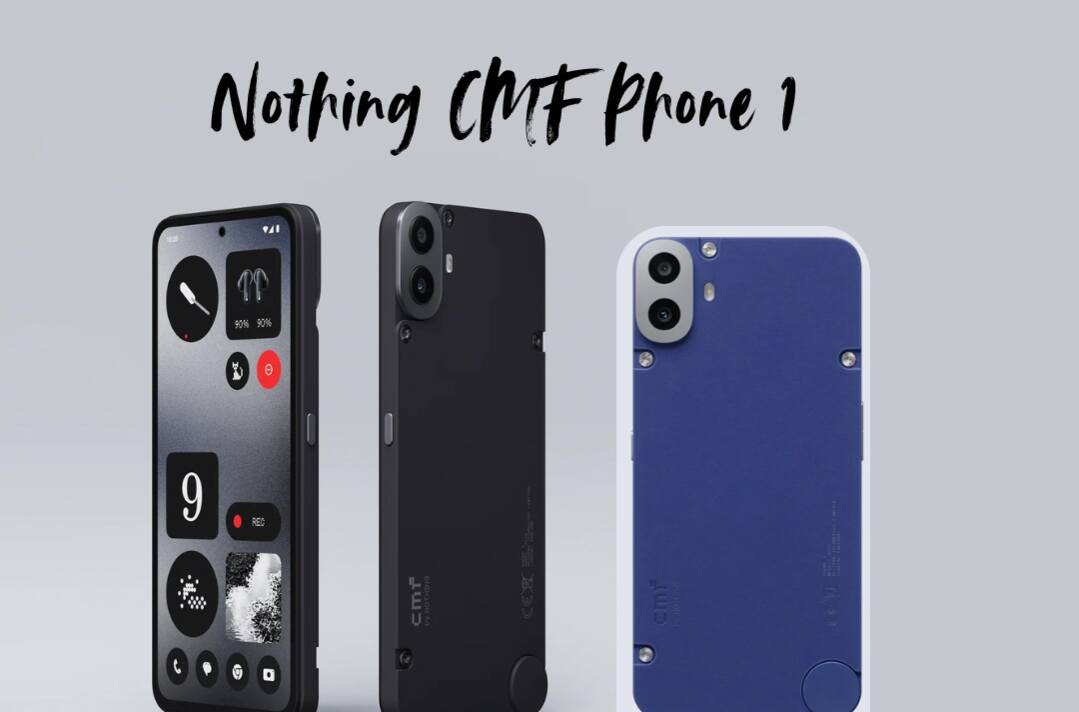
The beta update is also available for Nothing Phone (2a) and Nothing Phone (2), and very soon it will launch for Nothing Phone (1) and Phone (2a) Plus.
How to install Android 15 beta on Nothing CMF Phone 1?
Those who want to download the Android 15 beta update early to their device can download it through APK by following the steps.
NOTE: No rollback is available for CMF Phone 1 meaning you will not be able to return to stable builds. You join the beta at your own risk. The company will release a rollback package at a later date.
The steps to download Beta 1 for CMF Phone 1 are:
- Ensure you have installed NOS version 2.6; the build number should be Tetris-U2.6-241021-2030 / Tetris-U2.6-241125-2107
- Download the following APK and install it from your downloads.
- Navigate to Settings > System > Update to Beta version.
- Tap “Check for new version” and follow the steps to get started.
Since this is a Beta version, the test software may interfere with your data and require a factory reset, by which you can lose your data. So, before accessing the software, back up all your data.
Features of Android 15 beta update on Nothing CMF Phone 1:
Nothing CMF Phone 1 beta program suggests loads of changelogs for enhancement of the device and better user experience. Here you will see the list of features that the beta update will bring to the device.
The following changelogs are:
Shared Widgets
- Use widgets to link up with friends and family. See another person’s widgets displayed on your home screen and interact with each other through reactions. A new way to stay connected.
Lock screen
- New lock screen customization page. Access by long-pressing the lock screen or via the Customisation page.
- Upgraded clock faces. Choose your favorite style.
- Expanded widget space allows you to place more widgets on your lock screen.
Smart Drawer
- Added AI-powered Smart Drawer feature to automatically categorize your apps into folders. For better organization and easy access.
- For ultimate convenience, you can pin your favorite apps to the top of the app drawer. No scrolling is required.
Quick Settings
- Reconsidered Quick Settings design with an optimized editing experience.
- Enhanced widget library design.
- Updated visuals in Settings include better Network & Internet and Bluetooth options.
Camera improvements
- Faster camera launch speed under the Camera Widget.
- Reduced HDR scene processing time.
- Smoothed user interface after countdown photos
- Improved zoom slider display.
Enhanced pop-up view
- Movable pop-up view for cleaner and more productive multitasking.
- Easily resize the pop-up view by dragging the bottom corners.
- Pin the pop-up view on the screen edge for quick access.
- View information without leaving your current app. Simply swipe down on incoming notifications to enter the pop-up view. Enable via Settings > System > Pop-up view.
Other improvements
- AI-powered selection and prioritization of your frequently used apps, keeping them at your fingertips for a more efficient experience
- Added support for the auto-archive function to automatically free up storage space without removing apps or data from your device.
- Partial screen sharing for more efficient and secure screen recording. Record just an app window rather than the entire screen.
- Updated setup wizard to version 3.0 for the smoothest introduction to Nothing OS.
- Enabled predictive back animations for apps that have opted in.
- New fingerprint animation with signature dot matrix styling.
- New charging animation with signature dot matrix styling.
