
Close Menu
Technology Navigator
    Facebook X (Twitter) RSS
    Technology Navigator
    • Home
    • How to
    • Android
      • Android News
      • Android Phones
      • Android Tablets
    • Tech News
    • Apps
    Facebook X (Twitter) RSS
    Trending
    • Xiaomi budget smartphone Redmi A5 4G launched in India
    • Google System Updates April 2025 for Android
    • Amazon Nova Reel 1.1: An AI video generator model
    • Amazon Project Kuiper launch date is confirmed: Read in detail
    • Instagram DMs get new features: Read here what’s new
    • Project Waterworth: World’s longest undersea cable project by Meta
    • Grok 3 AI chatbot is claimed to be the “Smartest AI on Earth”
    • Vivo V50 price in India is revealed: Check here for specs and more
    Technology Navigator
    Home » Android News » Moto G Android 5.0 Lollipop update rolling out now in batches in India
    Android News

    Moto G Android 5.0 Lollipop update rolling out now in batches in India

    AbhishekBy AbhishekJanuary 24, 2015Updated:January 27, 20151 Comment2 Mins Read
    Share
    WhatsApp Facebook Twitter Email Copy Link

    Motorola has finally started rolling out Android 5.0 Lollipop update to Moto G (1st & 2nd Gen) in India. The update for both generations Moto G is rolling out over-the-air (OTA) in batches. Motorola had announced that all moto handsets which were released in 2013 and 2015 will be updated which includes all variants of the Moto G and the Moto X, excluding the Moto E smartphone.
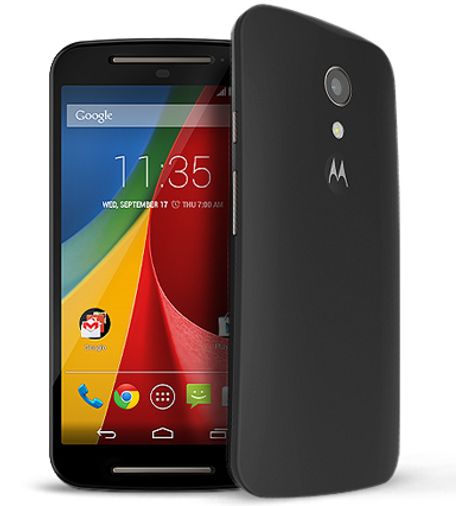
    Moto-G-2nd-gen-update

    Motorola is directly rolling out Android 5.0.2 update and this will brings performance enhancements, improved multitasking, Material UI design, battery saver, enhanced notifications and smart lock/unlock feature.

    #Lollipop is rolling out in phases to #MotoG (2nd Gen) in US & #MotoG (1st & 2nd Gen) in India. Look for the notification on your device!

    — Motorola Mobility (@Motorola) January 23, 2015

    How to update:

    The update will show up in your notification and in case if you don’t get the notification, go to settings -> About Phone-> tap on System Updates. The device will connect to server & check for update, if it is available download and install it by following the on-screen instructions.

    If your device is not showing any update then check back after few hours since Motorola is pushing update in phases.

    Share. WhatsApp Facebook Twitter Tumblr Email
    Abhishek
    • Website
    • Facebook
    • X (Twitter)

    Author Abhishek - Enthusiastic tech writer who has been writing since 2011 on Windows, Android and How to guides. — You can follow him on Facebook & Twitter.

    Related Posts

    Xiaomi budget smartphone Redmi A5 4G launched in India

    April 16, 2025

    Google System Updates April 2025 for Android

    April 10, 2025

    Vivo V50 price in India is revealed: Check here for specs and more

    February 17, 2025

    1 Comment

    1. Sumit Dwivedi on July 20, 2015 4:31 pm

      Dear author of navigator.com,
      plz provide some navigations to root HTC velocity 4g.
      wanna upgrade mine operating system from 4.0.3 to 5.0 lollipop.
      it will be very kind of you!!!
      thanking you in advance.

      Reply
    Leave A Reply Cancel Reply

    CAPTCHA Image
    Refresh Image

    *

    Latest Posts

    Xiaomi budget smartphone Redmi A5 4G launched in India

    April 16, 2025

    Google System Updates April 2025 for Android

    April 10, 2025

    Amazon Nova Reel 1.1: An AI video generator model

    April 9, 2025

    Amazon Project Kuiper launch date is confirmed: Read in detail

    April 4, 2025

    Instagram DMs get new features: Read here what’s new

    February 20, 2025
    Facebook X (Twitter) RSS
    • Home
    • About
    • Contact
    • Privacy Policy
    • Correction Policy
    • Disclaimer
    • Terms & Conditions
    © 2026 - Technology Navigator

    Type above and press Enter to search. Press Esc to cancel.